Unit 4. Developing and Accessing Services
4.7. A complete example
In order to have a complete overview of how to deal with web services from a Java application, we’ll use an application called “Product Manager” that simulates the catalog of a computer shop, so that products are stored in a server with a MongoDB database and operations with those products will be done through web services in Express.js. In the database there is a collection for products and a collection for categories (each product belongs to a given category):
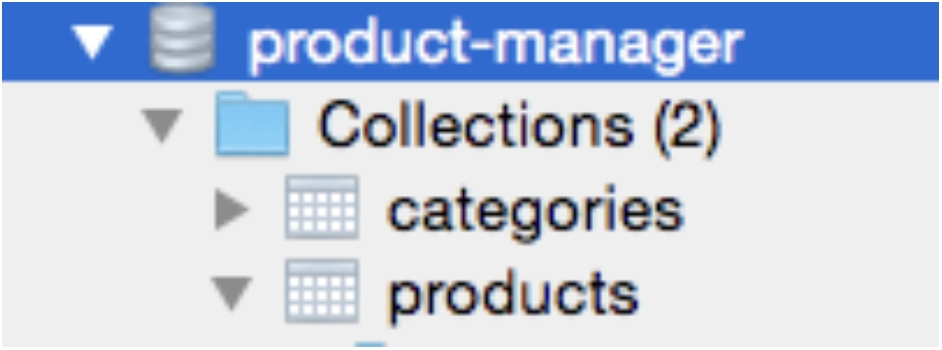
You can also check the structure of both collections (categories and products) by checking the model source files in the “models” subfolder of the project.
You should be able to download everything (JavaFX application project, and Node project for the server, including a database generator) from the Virtual Classroom to try this application. You can re-generate the database whenever you want with the database generator called db_generator.js within the Node project.
node db_generator.jsNota
You may need to run the file twice if you get some kind of error the first time you try it.
4.7.1. GET
GET operations are intended to retrieve existing objects from the database (SELECT). In this case, there are 2 web services:
- A service using the resource
/categorythat gets all categories in the database. This is how it looks like in Node with Express:
1app.get('/category', (req, res) => {
2    Category.find().then(result => {
3        res.send(result);
4    }).catch(error => {
5        res.send([]);
6    });
7});
A service using the resource /product/:category that receives a category id and returns all products that belong to that category
1app.get('/product/:idCat', (req, res) => {
2    Product.find({category: req.params.idCat}).then(result => {
3        res.send(result);
4    }).catch (error => {
5        res.send([]);
6    });
7});
When we receive a List of objects from Java, we need to use two special classes called com.google.gson.reflect.TypeToken and java.lang.reflect.Type if we intend to use GSON library. This is the JavaFX Service that will get the list of categories:
 1public class GetCategories extends Service<List<Category>> {
 2    @Override
 3    protected Task<List<Category>> createTask() {
 4        return new Task<List<Category>>() {
 5            @Override
 6            protected List<Category> call() throws Exception {
 7                String json = ServiceUtils.getResponse(
 8                    "http://localhost:8080/category", null, "GET");
 9                Gson gson = new Gson();
10                Type type = new TypeToken<List<Category>>(){}.getType();
11                List<Category> cats = gson.fromJson(json, type);
12                return cats;
13            }
14        };
15    }
16}
And this is the service that will get the products from a category:
 1public class GetProducts extends Service<List<Product>> {
 2    String catId;
 3
 4    public GetProducts(String catId) {
 5        this.catId = catId;
 6    }
 7
 8    @Override
 9    protected Task<List<Product>> createTask() {
10        return new Task<List<Product>>() {
11            @Override
12            protected List<Product> call() throws Exception {
13                String json = ServiceUtils.getResponse(
14                    "http://localhost:8080/product/" + catId, null, "GET");
15                Gson gson = new Gson();
16                Type type = new TypeToken<List<Product>>(){}.getType();
17                List<Product> prods = gson.fromJson(json, type);
18                return prods;
19            }
20        };
21    }
22}
To end this GET example, we’ll see how we request products when a new category is selected in the application:
 1private void selectNewCategory(Category category, String selectAfter) {
 2    getProds = new GetProducts(category.getId());
 3    getProds.start();
 4    getProds.setOnSucceeded(e -> {
 5        currentProds =
 6            FXCollections.observableArrayList(getProds.getValue());
 7        productsTable.setItems(currentProds);
 8        Optional<Product> selProd = currentProds.stream()
 9            .filter(p -> p.getId().equals(selectAfter)).findFirst();
10        if(selProd.isPresent()) {
11            productsTable.getSelectionModel().select(selProd.get());
12            productsTable.scrollTo(selProd.get());
13        }
14    });
15}
Exercise 11
Create a project named GetCompanies in JavaFX. It will use these two web services using GET:
- http://<server_address>/company: it will return all the companies with this JSON format:
 1[
 2    {
 3        "_id": "1asdasrqwwr535q35a",
 4        "cif": "C2314234Y",
 5        "name": "Crazy Stuff Inc.",
 6        "address": "Madness Street 15"
 7    },
 8    {
 9        "_id": "2425ehpasuhrpasueg",
10        "cif": "T1342536Y",
11        "name": "Silly & Dumb LTD",
12        "address": "Idont Know Street, 1324"
13    },
14    ...
- http://<server_address>/company/{id}: it will return the information of a company in this format (if there’s information you won’t need, like companies id, just ignore it and don’t include it in Java’s class):
 1{
 2    "ok": true,
 3    "error": "",
 4    "company": {
 5        "_id": "348w9ueasd90ays8s",
 6        "cif": "V3241569E",
 7        "name": "Maniacs International",
 8        "address": "Happy Stress Street, 99",
 9        "employees": [
10            {
11                "_id": "5sdaoishdaps8ys",
12                "nif": "46374869U",
13                "name": "Cocaine Rupert",
14                "age": "37",
15                "company": "348w9ueasd90ays8s"
16            },
17            {
18                "_id": "sdasd6asdas8y8fays",
19                "nif": "12425364K",
20                "name": "Happysad Windows",
21                "age": "47",
22                "company": "348w9ueasd90ays8s"
23            }
24        ]
25    }
26}
First, it will load all companies on the top list from the appropriate web service. Then, when a user selects a company, it will retrieve its information and employees from the other web service, showing them in the bottom list. This application will look more or less like this:
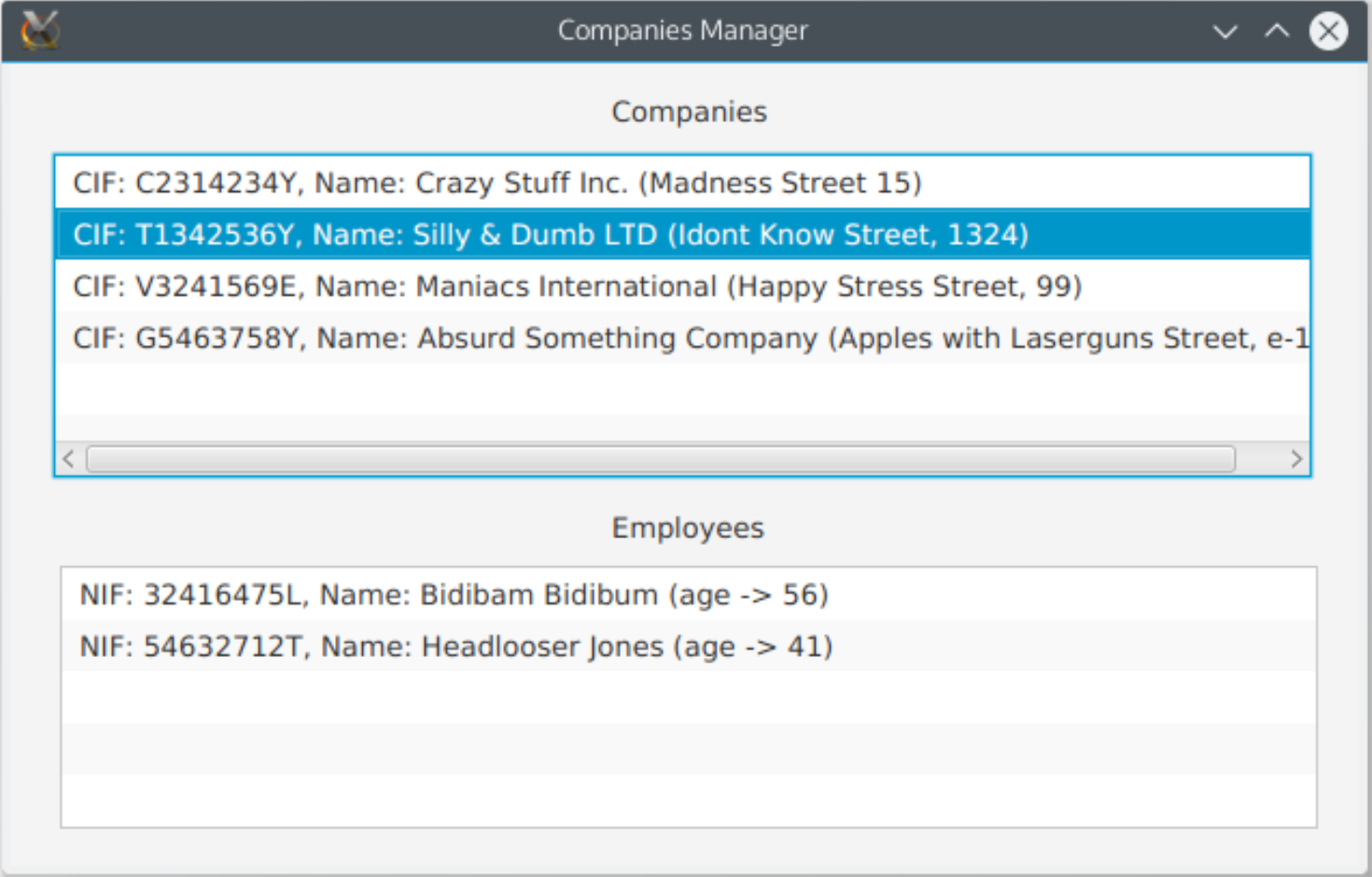
You will be provided with a Node server with the services already implemented. It also includes a file called
db_generator.jsthat you can (must) run to create and fill the database (run it withnode db_generator.js). Then, launch the server (app.jsfile) and start creating your JavaFX client. You will also be provided with a JavaFX application skeleton to start with.
4.7.2. POST
Using POST, data is sent in the body of the request. This is done by using the output stream of the connection to send that data. The format can be URL (key=value&key2=value2) or like in this case, JSON (in String format).
In our product manager example, we have defined a web service that gets the data about a product, processes the information and inserts this product in the database. It returns (prints) the id of the newly created product (or an empty string if there was an error).
This is the service in Java that will call this web service and return its response:
 1public class AddProduct extends Service<String> {
 2    Product prod;
 3
 4    public AddProduct(Product prod) {
 5        this.prod = prod;
 6    }
 7
 8    @Override
 9    protected Task<String> createTask() {
10        return new Task<String>() {
11            @Override
12            protected String call() throws Exception {
13                Gson gson = new Gson();
14                String resp = ServiceUtils.getResponse(
15                    "http://localhost:8080/product",
16                    gson.toJson(prod), "POST");
17                    return resp;
18            }
19        };
20    }
21}
Finally, this is the code in the view’s controller to start this service and process its result:
 1addProd = new AddProduct(newProd);
 2addProd.start();
 3
 4addProd.setOnSucceeded(e -> {
 5    String id = addProd.getValue();
 6    if(!id.equals("")) { // Success
 7        selectNewCategory(categories.stream()
 8            .filter(c -> c.getId().equals(newProd.getIdCategory()))
 9            .findFirst().get(), id);
10        showInfoMsg("New product added successfully.", false);
11    } else {
12        showInfoMsg("Error adding the product", true);
13    }
14});
Exercise 12
Update the project GetCompanies from previous exercise and insert an “Add” button for adding employees. This button (only active when a company is selected) will open a new window containing a form to add a new employee.
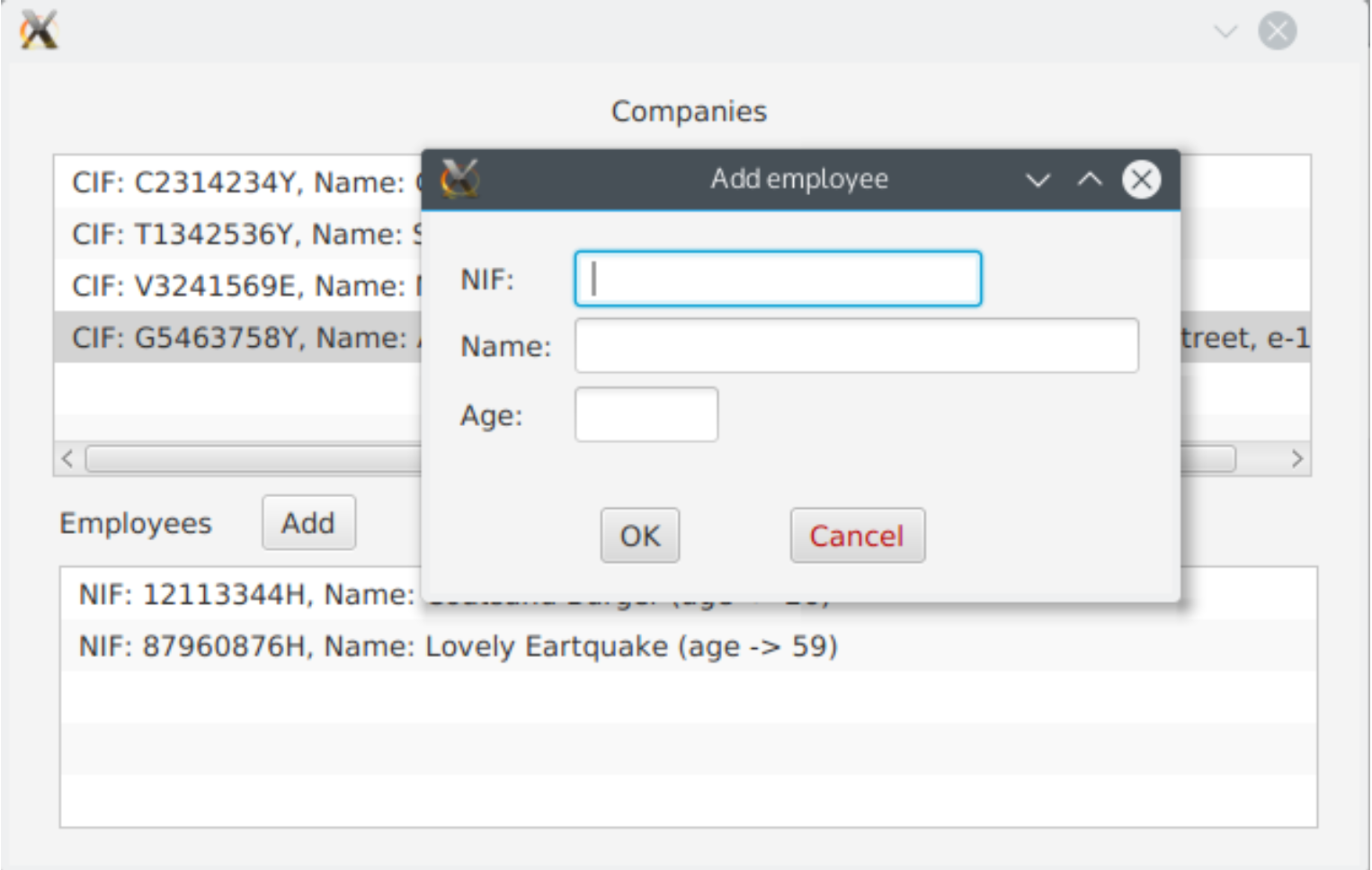
To create new window using another FXML (or building the scene by code), you can do it like this:
 1Stage stage = new Stage();
 2stage.initModality(Modality.APPLICATION_MODAL);
 3
 4Parent root = FXMLLoader.load(getClass().getResource("AddEmployee.fxml"));
 5
 6Scene scene = new Scene(root);
 7stage.setTitle("Add employee");
 8stage.setScene(scene);
 9stage.show();
10stage.setOnHidden((e) -> {
11   // Update the employees list somehow...
12});
To cancel and close the window opened (at least using FXML):
1Stage window = (Stage) ((Node)event.getSource()).getScene().getWindow();
2window.close();
This form will have to be sent to this web service by POST:
http://<server_address>/employee/{idCompany}And you need to send this information (there can be more fields and they’ll be ignored):
1{
2   "age": 32,
3   "nif": "12324354T",
4   "name": "Delete Meplease"
5}
This web service will return a boolean flag indicating if everything went OK or not, and either the id of the new employee if everything was correct, or an error message if something went wrong:
1{
2	"ok": true,
3    "id": "1sdasp8yawasa8s2"
4}
5{
6	"ok": false,
7    "error": "Error adding the employee"
8}
4.7.3. PUT
This HTTP method is a mix between GET and POST, and it’s usually equivalent to the UPDATE instruction in SQL. The information to get the object (id for example) that will be modified from the database is sent in the URL (like GET), and the data to modify from that object is sent in the body (like POST).
In our product manager example, we have a web service that will process the information and update an existing product. It just returns true or false indicating if the operation was successful or not. This is the JavaFX Service created to connect to this web service:
 1public class UpdateProduct extends Service<Boolean> {
 2    Product prod;
 3
 4    public UpdateProduct(Product prod) {
 5        this.prod = prod;
 6    }
 7
 8    @Override
 9    protected Task<Boolean> createTask() {
10        return new Task<Boolean>() {
11            @Override
12            protected Boolean call() throws Exception {
13                Gson gson = new Gson();
14                String resp = ServiceUtils.getResponse(
15                    "http://localhost:8080/product/" +
16                    prod.getId(), gson.toJson(prod), "PUT");
17                return Boolean.parseBoolean(resp);
18            }
19        };
20    }
21}
And finally, this is how we create and start the Service from the controller:
 1updateProd = new UpdateProduct(newProd);
 2updateProd.start();
 3
 4updateProd.setOnSucceeded(e -> {
 5    if(updateProd.getValue()) { // Success
 6        selectNewCategory(categories.stream()
 7            .filter(c -> c.getId().equals(newProd.getIdCategory()))
 8            .findFirst().get(), newProd.getId());
 9        showInfoMsg("Product updated successfully.", false);
10    } else {
11        showInfoMsg("Error updating the product", true);
12    }
13});
4.7.4. DELETE
The DELETE operation works like GET (variables in URL), but instead of returning objects that meet some conditions, it removes the specified object(s) from the database. We have a web service ready in our product manager example, and this is the JavaFX Service that will connect to this web service:
 1public class DeleteProduct extends Service<Boolean> {
 2
 3    String idProd;
 4
 5    public DeleteProduct(String idProd) {
 6        this.idProd = idProd;
 7    }
 8
 9    @Override
10    protected Task<Boolean> createTask() {
11        return new Task<Boolean>() {
12            @Override
13            protected Boolean call() throws Exception {
14                Gson gson = new Gson();
15                String resp = ServiceUtils.getResponse(
16                    "http://localhost:8080/product/" + idProd,
17                    null, "DELETE");
18                return Boolean.parseBoolean(resp);
19            }
20        };
21    }
22}
And finally, how we create and start the service from the controller:
 1deleteProd = new DeleteProduct(selectedProd.getId());
 2deleteProd.start();
 3
 4deleteProd.setOnSucceeded(e -> {
 5    if(deleteProd.getValue()) { // Success
 6        currentProds.remove(selectedProd);
 7         showInfoMsg("Product " + selectedProd.getReference() + " deleted.",
 8            false);
 9    } else {
10        showInfoMsg("Error removing the product", true);
11    }
12});
Exercise 13
Update the GetCompanies project from previous exercises. You’ll have to add two more buttons:
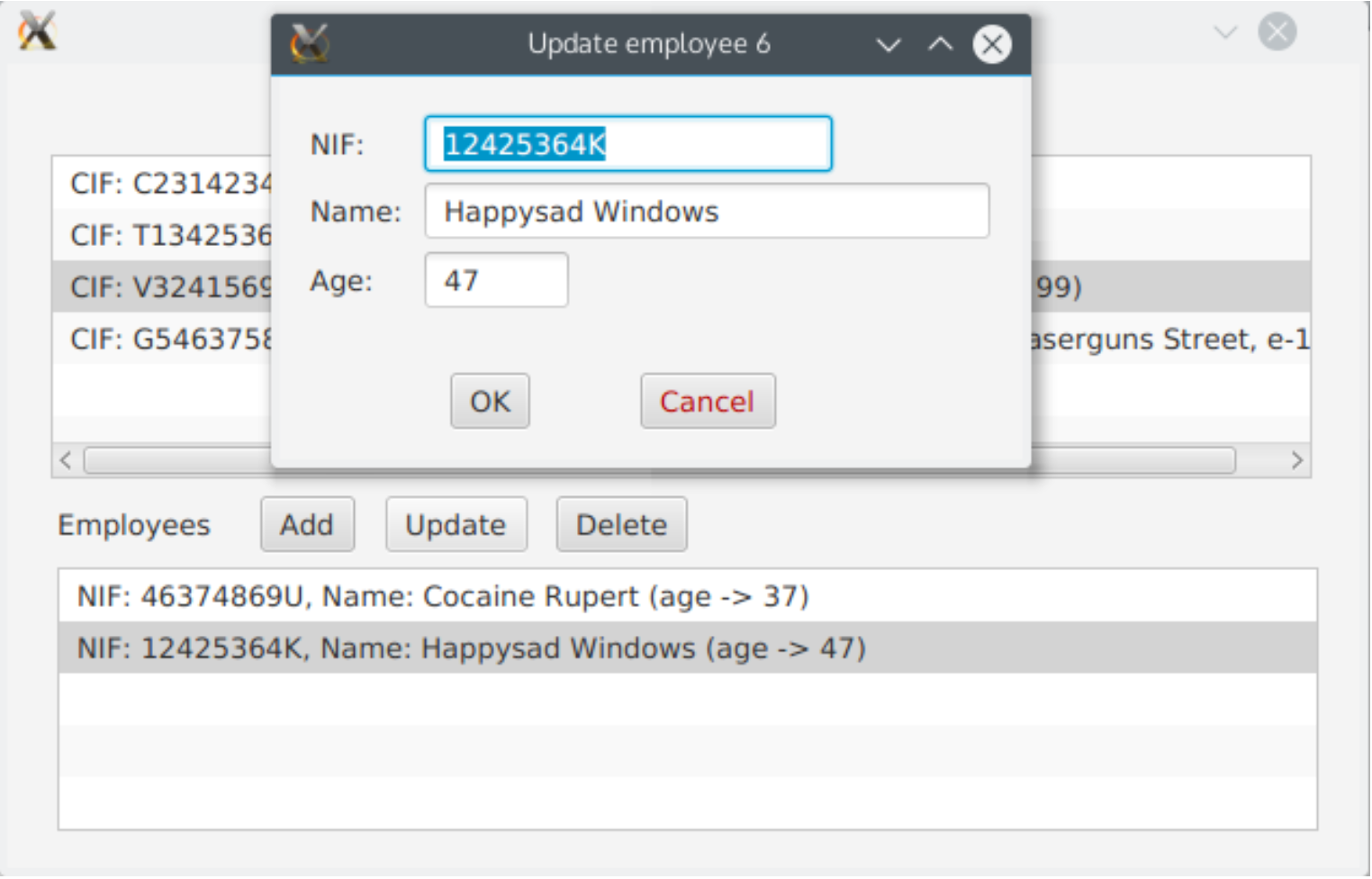
Update: Only active when an employee is selected. It will open a window with a form (similar to Add) to edit an employee’s information. It will connect to the web service and send information by PUT method:
- http://<server_address>/employee/{id}
- The information sent in JSON will have the same format that when you add an employee (see exercise 12), and the response will be a JSON object with two fields:
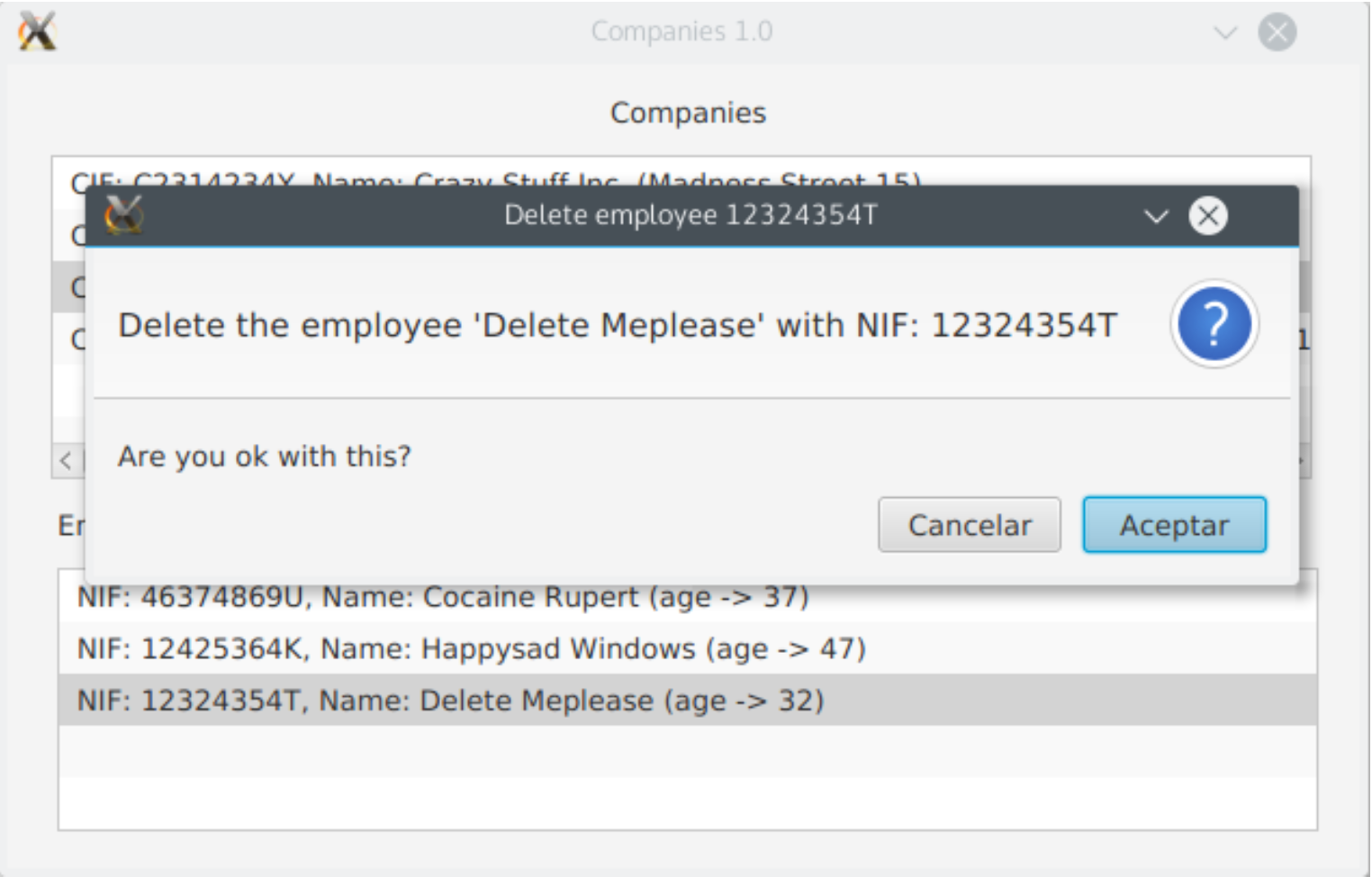
ok(boolean) anderror(String).Delete: Will open a dialog to ask the user if he/she wants to delete the selected employee (see ProductManager example). If positive answer is given it will call this web service (using DELETE method):
- http://<server_address>/employee/{id}
- The response will be a JSON object with the same format as before (update)
4.8. Authentication and file uploading
4.8.1. Managing authentication with a token
You have information about token authentication in annexes of previous sections. The standard way to send this token is in a header called Authorization (although it could be different) with the prefix “Bearer “ before the encoded token (although it is up to you to define this prefix, as long as you are in charge of implementing both sides, client and server). This is how we would add this header in a request through a HttpURLConnection object (conn):
1if(token != null) {
2    conn.setRequestProperty("Authorization", "Bearer " + token);
3}
You have this code already added to your ServiceUtils class, along with a couple of useful methods: setToken and removeToken, that let you set or remove the token from the requests performed by this class.
4.8.2. Sending files
You have also information about sending images encoded in Base64 format from the client to the server in previous annexes, and how to process this image in the server. In order to get an image and convert its bytes into Base64 format in the client side, you may need to do something like this:
- Create a class to store the image information: at least, the image file name and the encoded data:
 1class MyImage {
 2
 3    String name;
 4    String data;
 5
 6    public MyImage(Path file) {
 7        name = file.getFileName().toString();
 8        byte[] bytes;
 9        data = "";
10        try {
11            bytes = Files.readAllBytes(file);
12            data = Base64.getEncoder().encodeToString(bytes);
13        } catch (IOException ex) {
14            System.err.println("Error getting bytes: " + file.toString());
15        }
16    }
17}
As you can see, we use Base64 class from Java API (package java.util) to encode the bytes of the image.
- Use this class to encode the desired image file and send it to the appropriate service. In this example, we encode an image called image.jpg from current folder and send it to a service called
/uploadImg.
1MyImage img = new MyImage(Paths.get("image.jpg"));
2Gson gson = new Gson();
3String json = gson.toJson(img, MyImage.class);
4String resp = ServiceUtils.getResponse("http://localhost:8080/uploadImg",
5    json, "POST");
Exercise 14
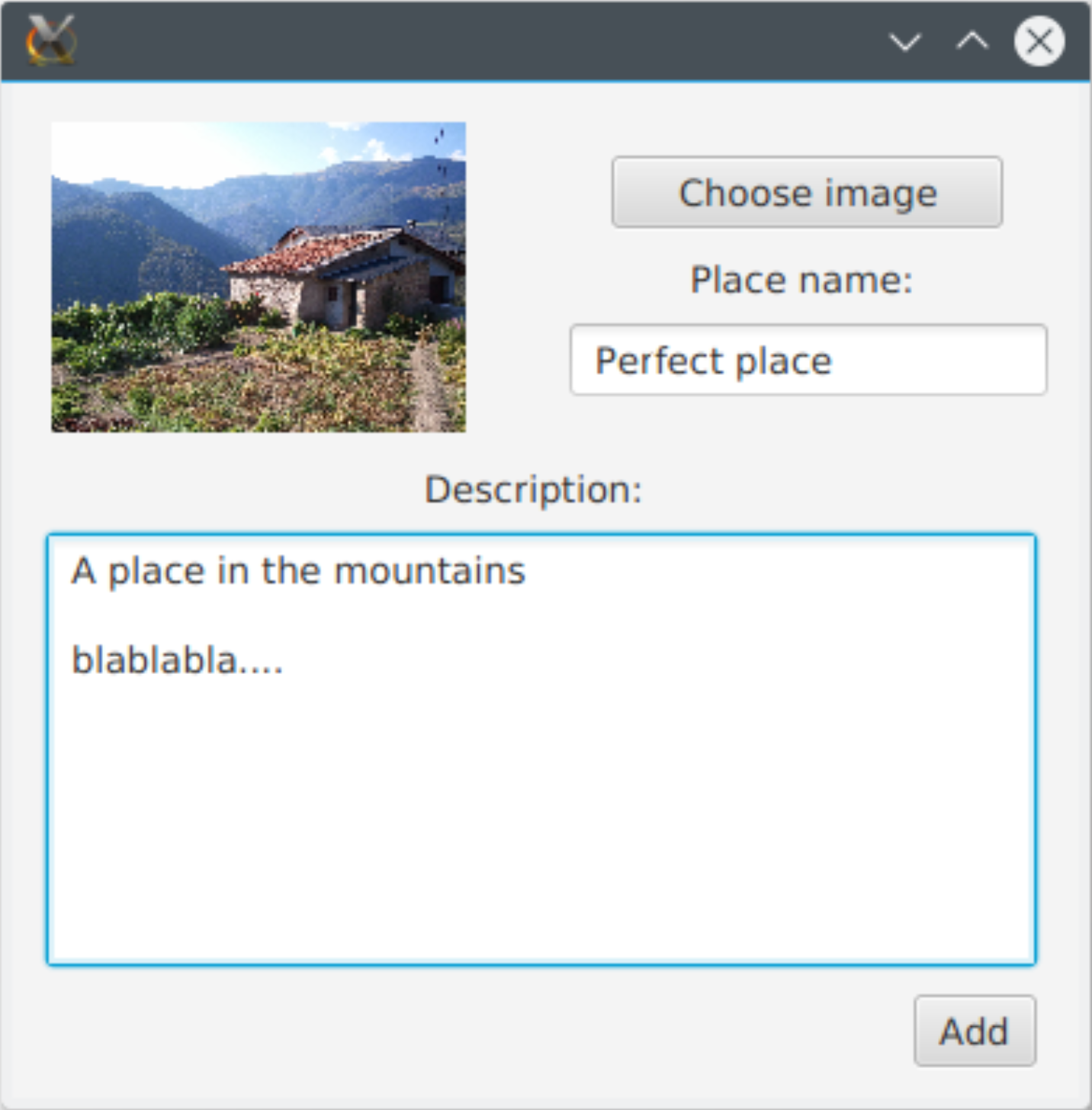
Create a JavaFX project called PhotoUploader that will upload a photo with a title and a description to a web service using POST:
http://<server_address>/photo
The JSON response object will contain:
ok(boolean) anderror(String).This is the JSON format you’ll have to send:
1{
2  "name": "IMG_20130831_174624.jpg",
3  "title": "Lovely place",
4  "desc": "place description",
5  "data": "base 64 encoded data…."
6}
Access this address in your browser to check all uploaded images and delete them:
http://<server_address>/photoplaces/